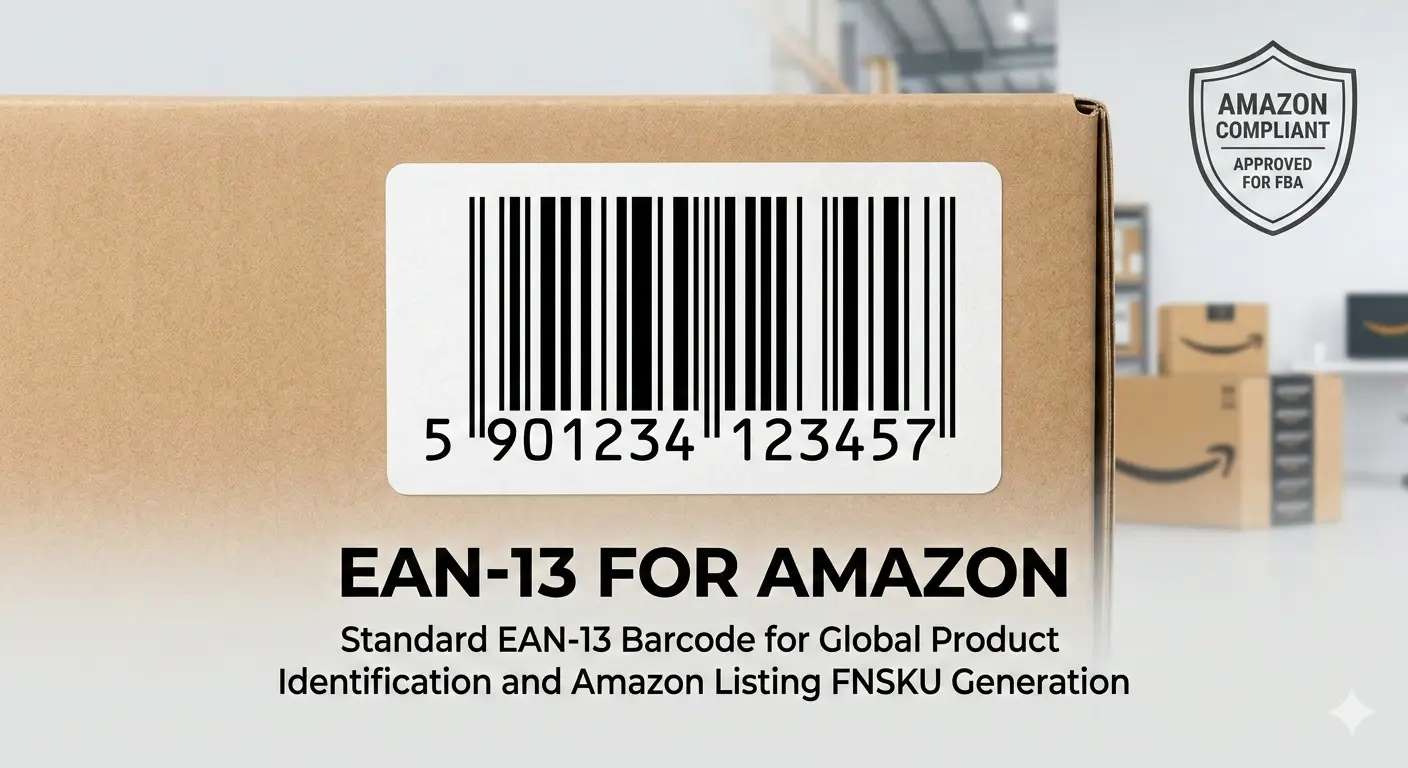
Generating EAN-13 Barcodes for Amazon Listings
Selling products on Amazon begins with accurate product identification, and for many sellers around the world that means using an EAN-13 barcode. As one of the most widely recognized barcode standards, EAN-13 enables products to be identified consistently throughout the retail supply chain, from manufacturers and distributors to fulfillment centers and retail marketplaces.
If you plan to launch a new product on Amazon, understanding how EAN-13 works can save you time and help prevent listing problems. A correctly assigned barcode allows Amazon to recognize your product, improves inventory management, supports efficient warehouse operations, and provides customers with a consistent shopping experience.
Whether you sell a single private-label product or manage hundreds of SKUs, using a valid barcode is an important part of maintaining an organized and scalable business.
What Is an EAN-13 Barcode?
EAN-13 (European Article Number) is an internationally recognized barcode format developed as part of the Global Trade Item Number (GTIN) system managed by GS1. Although its name includes "European," EAN-13 is used in countries around the world and is accepted by major retailers and e-commerce platforms, including Amazon.
The barcode consists of thirteen numeric digits that uniquely identify a product. Rather than describing the product itself, the number acts as a globally unique identifier that links to information stored in retailer and manufacturer databases.
When a barcode is scanned, the scanner simply reads the number. Product names, prices, stock quantities, and other details are retrieved from the connected database, making barcode technology both simple and extremely efficient.
Why Amazon Uses Product Identifiers
Amazon hosts millions of products from sellers across the globe. Without standardized product identifiers, duplicate listings, incorrect product information, and inventory conflicts would become common.
By using GTIN standards such as EAN-13, Amazon can associate products with unique identifiers, helping customers find the correct item while reducing duplicate catalog entries. Standardized identifiers also improve warehouse automation, shipment accuracy, and inventory synchronization across multiple fulfillment centers.
For many products, Amazon expects sellers to provide identifiers that comply with internationally recognized standards. While some categories may qualify for a GTIN exemption, most branded retail products benefit from using official barcode numbers.
Why GS1 Matters
GS1 is the international organization responsible for managing GTIN standards, including EAN-13. Company prefixes issued by GS1 allow businesses to create globally unique product numbers without conflicting with other manufacturers.
Amazon may compare submitted product identifiers with GS1 registration data to improve catalog accuracy. This helps reduce counterfeit listings, protects legitimate brands, and improves customer trust.
Using officially assigned identifiers also makes it easier to expand beyond Amazon. The same barcode can often be used across retail stores, distributors, wholesalers, and other online marketplaces, creating a consistent product identity everywhere your products are sold.
Understanding the 13 Digits
Each digit within an EAN-13 barcode has a specific purpose. Together, these sections create a globally unique identifier for an individual product.
- GS1 Prefix – Indicates the GS1 member organization responsible for issuing the number.
- Company Prefix – Identifies the registered business or brand owner.
- Item Reference – Distinguishes one product from another within the same company.
- Check Digit – Calculated automatically to detect common scanning or typing errors.
The final check digit is not selected manually. Instead, it is calculated using a mathematical formula based on the preceding twelve digits. Barcode scanners perform the same calculation during scanning to verify that the number has been read correctly.
EAN-13 vs UPC
EAN-13 and UPC-A belong to the same GTIN family and serve similar purposes, but they differ slightly in structure and regional adoption.
UPC-A contains twelve digits and has historically been used in North America, while EAN-13 contains thirteen digits and is more common across Europe, Asia, South America, and many international markets.
Amazon supports both formats depending on the marketplace and the product being listed. Businesses selling internationally often prefer EAN-13 because of its broad global acceptance.
Technical Specifications
- Exactly 13 numeric digits.
- Globally recognized GTIN standard.
- Fast scanning using laser and imaging scanners.
- Suitable for retail products and e-commerce listings.
- Automatic checksum validation.
- High compatibility with inventory systems.
- Supports international trade and logistics.
Printing Requirements for Amazon FBA
Barcode quality plays a significant role in Amazon's fulfillment process. Every product received at an Amazon fulfillment center is scanned multiple times throughout storage, picking, packing, and shipping. A poorly printed barcode can slow these operations, trigger manual inspections, or even prevent inventory from being received correctly.
For this reason, sellers should always print EAN-13 barcodes using high-quality equipment and ensure that the barcode remains sharp, undamaged, and easy to scan. Labels should be attached to smooth, flat surfaces whenever possible, avoiding package folds, seams, or curved edges that may distort the barcode.
Use High Contrast
Black bars printed on a white background provide the highest scanning accuracy. While colored barcodes may appear attractive, some color combinations reduce scanner performance because barcode readers detect reflected light rather than the printed design itself.
Whenever possible, avoid dark backgrounds, transparent labels, metallic packaging, or glossy materials that create reflections under warehouse lighting.
Don't Ignore Quiet Zones
Every EAN-13 barcode requires empty white space before the first bar and after the last bar. These blank margins are known as Quiet Zones. They allow barcode scanners to recognize where the symbol begins and ends.
Placing graphics, logos, text, or decorative borders too close to the barcode may interfere with scanning, even if the barcode itself is printed perfectly.
Choosing Between PNG and SVG
Qrivio allows barcodes to be downloaded in both PNG and SVG formats, each suited for different purposes.
PNG is ideal for websites, online catalogs, documents, and digital use. SVG, on the other hand, is a vector format that maintains perfect sharpness regardless of scaling. If you plan to print labels professionally or create product packaging, SVG is generally the better choice because it preserves barcode accuracy at any size.
Common Barcode Mistakes
Many listing and scanning issues are caused by simple mistakes that are easy to avoid. Understanding these problems before printing large quantities of labels can save both time and money.
- Using an incorrectly formatted EAN number.
- Printing low-resolution barcode images.
- Stretching or compressing the barcode.
- Reducing the Quiet Zone.
- Printing on reflective packaging.
- Covering the barcode with tape or additional labels.
- Allowing wrinkles or bubbles under the label.
- Using damaged or faded labels.
How to Check Your Barcode Before Listing
Before uploading your product to Amazon or sending inventory to an FBA warehouse, it's good practice to verify that the barcode can be scanned correctly.
Print a sample label using the same printer and material that will be used for production. Scan it with multiple barcode reader applications or handheld scanners to ensure that every scan returns the correct 13-digit number. If possible, test the barcode after applying it to the actual product packaging to confirm that curved surfaces or packaging materials do not interfere with readability.
Taking a few minutes to test barcode quality before mass production helps prevent expensive re-labeling and unnecessary fulfillment delays.
Benefits of Using Correct EAN-13 Barcodes
- Improves catalog accuracy.
- Supports faster warehouse processing.
- Reduces manual inventory handling.
- Minimizes listing conflicts.
- Provides consistent product identification.
- Works with retail systems worldwide.
- Simplifies inventory management.
- Helps maintain professional product listings.
Best Practices for Amazon Sellers
Successful Amazon sellers treat barcodes as part of their overall inventory management strategy rather than simply another listing requirement.
- Assign one unique barcode to each unique product.
- Never reuse an EAN assigned to another item.
- Print labels using professional-quality settings.
- Inspect printed labels before shipping inventory.
- Store original barcode records for future reference.
- Keep packaging clean around the barcode area.
- Verify scans before large production runs.
Frequently Asked Questions
Can I use the same EAN-13 barcode for multiple products?
No. Each unique product should have its own unique EAN-13 barcode. Even small variations such as size, color, or package quantity typically require a different product identifier to ensure accurate inventory management and order fulfillment.
Does Amazon accept EAN-13 in every marketplace?
EAN-13 is accepted by Amazon in many international marketplaces and is one of the most commonly used GTIN formats worldwide. Requirements may vary depending on the product category and marketplace, so sellers should always review Amazon's current listing requirements.
What is the difference between EAN-13 and a GTIN?
GTIN is the overall numbering system used to identify trade items globally. EAN-13 is one specific GTIN format consisting of thirteen digits. Other formats within the GTIN family include UPC-A, GTIN-8, and GTIN-14.
Can I create my own EAN-13 number?
While barcode images can be generated from any valid 13-digit number, the number itself should be assigned according to GS1 standards if it is intended for commercial retail use. Using unofficial numbers may cause issues when listing products on online marketplaces or selling through retailers.
Why won't my barcode scan?
Scanning problems are usually caused by poor print quality, insufficient Quiet Zones, low contrast, damaged labels, incorrect scaling, or printing the barcode at an unsuitable size. Verifying the barcode before production helps eliminate most of these issues.
Is SVG better than PNG?
For professional printing, yes. SVG files maintain perfect quality regardless of scaling, making them ideal for packaging, labels, and commercial printing. PNG files are excellent for digital use, websites, presentations, and documents.
Can one barcode be used outside Amazon?
Yes. A properly assigned EAN-13 barcode can be used across multiple retail channels, distributors, inventory systems, and e-commerce platforms, provided it uniquely identifies the same product.
Should I test my barcode before shipping inventory?
Absolutely. Testing your barcode with one or more scanners before sending products to Amazon helps identify printing problems early and reduces the risk of fulfillment delays or manual processing.
Why Choose Qrivio?
Generating an accurate barcode should be fast, reliable, and straightforward. Qrivio Barcode Generator is designed to help businesses, online sellers, retailers, and manufacturers create professional EAN-13 barcodes without unnecessary complexity.
Simply enter your barcode number, customize the appearance, select your preferred output format, and download a high-quality barcode within seconds. Whether you need a PNG image for digital use or a scalable SVG file for commercial printing, Qrivio provides clean, standards-compliant output suitable for professional applications.
The generated files are suitable for product labels, retail packaging, inventory systems, warehouse operations, documentation, and e-commerce listings. By producing clear, high-quality barcode images, you can improve scanning performance and reduce the likelihood of printing or fulfillment issues.
Conclusion
EAN-13 remains one of the world's most trusted barcode standards for product identification. Its widespread compatibility with retailers, distributors, inventory systems, and Amazon marketplaces makes it an excellent choice for businesses selling physical products both locally and internationally.
Understanding how EAN-13 numbers are structured, following recommended printing practices, and using high-quality barcode images can significantly improve scanning reliability throughout the entire supply chain. Small details such as maintaining proper Quiet Zones, selecting the correct file format, and verifying printed labels before production can make a noticeable difference in warehouse efficiency and customer satisfaction.
Whether you're launching your first Amazon product or managing a growing product catalog, using professionally generated EAN-13 barcodes helps create a more organized workflow while supporting accurate inventory management and efficient fulfillment. With Qrivio, you can generate high-quality EAN-13 barcodes quickly and confidently for Amazon listings, retail packaging, and countless other business applications.