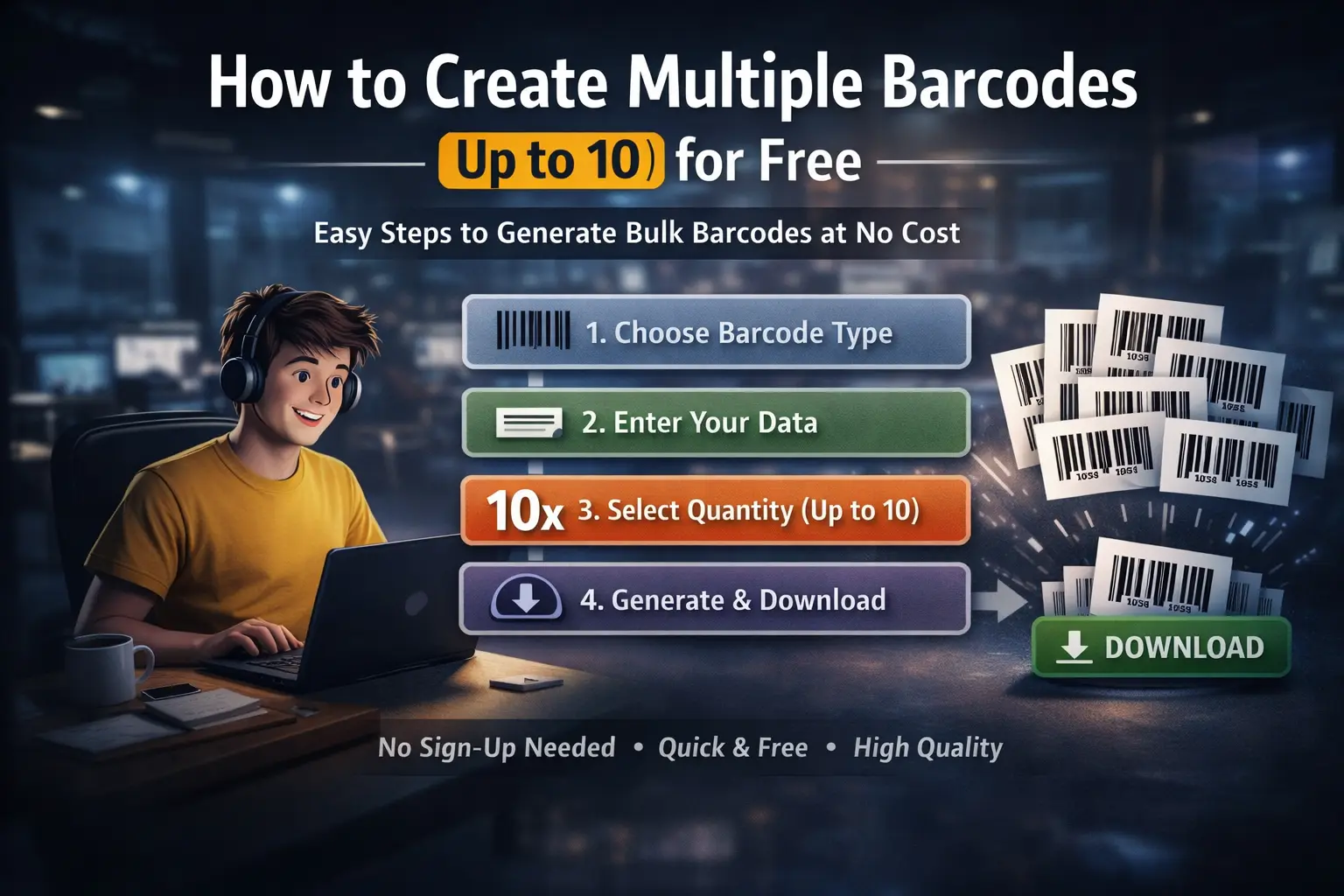
How to Create Multiple Barcodes (Up to 10) for Free

How to Create Multiple Barcodes (Up to 10) for Free

Generating barcodes one at a time may work for a single product, but it quickly becomes inefficient when you need identifiers for multiple items. Whether you're preparing inventory, labeling products, organizing warehouse shelves, or assigning serial numbers, repeatedly entering data for every barcode wastes valuable time and increases the chance of mistakes.

A bulk barcode generator solves this problem by allowing you to generate multiple barcodes in a single operation. Instead of repeating the same steps over and over, you simply enter a starting value, choose the number of barcodes you need, and generate them instantly. This approach is faster, more consistent, and significantly improves productivity.

Qrivio lets you generate up to 10 barcodes for free in one batch, making it an ideal solution for small businesses, online sellers, warehouses, offices, schools, and anyone who needs sequential barcode generation without installing software or creating an account.

What Is Bulk Barcode Generation?

Bulk barcode generation is the process of creating multiple unique barcodes during a single operation. Instead of generating each barcode individually, the generator automatically creates a sequence based on the starting number or data you provide.

For example, if your first product number is 100001 and you request ten barcodes, the generator can automatically create sequential codes ending with 100010. This eliminates repetitive manual input while ensuring every barcode remains unique.

Sequential barcode generation is widely used by manufacturers, warehouses, retailers, libraries, laboratories, healthcare providers, and logistics companies because it provides a simple and reliable way to identify large groups of items.

Why Generate Multiple Barcodes at Once?

Creating several barcodes simultaneously offers advantages beyond simply saving time. It also helps maintain consistency across product labels and reduces the likelihood of typing errors that often occur during manual data entry.

  • Generate several unique barcodes within seconds.
  • Reduce repetitive manual work.
  • Minimize typing mistakes.
  • Create consistent sequential numbering.
  • Prepare labels faster for printing.
  • Improve inventory organization.
  • Increase productivity during product setup.

For businesses handling hundreds or thousands of products, even small improvements in barcode creation can save hours of work over time.

Common Uses for Batch Barcode Generation

Bulk barcode generation is useful across many industries because every organization needs a reliable way to identify physical items.

  • Inventory labeling
  • Warehouse shelf identification
  • Retail product setup
  • Asset tracking
  • Shipping labels
  • Storage containers
  • Library cataloging
  • Laboratory sample tracking
  • Office equipment management
  • Manufacturing production batches

Instead of generating every barcode manually, businesses can prepare complete batches in just a few clicks, making inventory preparation significantly more efficient.

Supported Barcode Types

Qrivio supports many of the world's most widely used barcode standards, allowing you to generate multiple barcodes for different industries and applications.

  • Code 128
  • Code 39
  • EAN-13
  • EAN-8
  • UPC-A
  • ITF-14
  • MSI
  • Pharmacode

Each barcode format is designed for different purposes. Retail products commonly use EAN-13 or UPC-A, warehouses often rely on Code 128, shipping cartons use ITF-14, while Pharmacode is designed specifically for pharmaceutical packaging.

Step-by-Step Guide

Step 1 — Choose Your Barcode Format

Begin by selecting the barcode type that matches your project. Choosing the correct format ensures compatibility with your scanners, inventory software, or retail systems.

Step 2 — Enter the Starting Value

Enter the first barcode number or text that you want the generator to use. For sequential numbering, this becomes the starting point for the remaining barcodes.

Step 3 — Select the Quantity

Choose how many barcodes you want to generate. Qrivio allows you to create up to 10 unique barcodes in a single operation, making it perfect for quick inventory preparation and product labeling.

Choosing the Right Barcode Format

Selecting the correct barcode format is just as important as generating the barcode itself. Different industries rely on different barcode standards depending on how products are identified, stored, shipped, or sold. Choosing the appropriate format ensures maximum compatibility with scanners, inventory software, and business systems.

Barcode Best Used For
Code 128 Warehouses, logistics, inventory management
Code 39 Manufacturing, industrial labeling, asset tracking
EAN-13 International retail products
EAN-8 Small retail products
UPC-A Retail products in the United States and Canada
ITF-14 Shipping cartons and logistics packaging
MSI Internal inventory systems
Pharmacode Pharmaceutical manufacturing

Using the correct barcode standard from the beginning helps prevent compatibility issues later and ensures your labels work correctly throughout your workflow.

PNG or SVG?

After generating your barcodes, choosing the right download format is equally important. Qrivio offers both PNG and SVG downloads to suit different applications.

PNG files are ideal for digital documents, spreadsheets, websites, presentations, and everyday printing. SVG files are vector-based and remain perfectly sharp regardless of size, making them the preferred option for professional labels, commercial printing, and packaging design.

Feature SVG PNG
Print Quality Excellent Good
Scalability Unlimited Resolution Dependent
Professional Printing Recommended Suitable
Digital Use Excellent Excellent

How Bulk Barcode Generation Improves Productivity

Creating several barcodes simultaneously may seem like a small improvement, but it can significantly streamline everyday business operations. Instead of repeatedly entering information and downloading individual files, employees can prepare multiple labels in one quick process.

This is particularly valuable for businesses introducing new product lines, organizing warehouse inventory, or preparing shipments with sequential identifiers. Reducing repetitive work not only saves time but also helps maintain consistency across all generated labels.

Even generating just ten barcodes at once can eliminate dozens of unnecessary clicks and manual entries, allowing teams to focus on more important tasks.

Common Mistakes When Creating Multiple Barcodes

  • Choosing the wrong barcode format for the application.
  • Generating duplicate barcode numbers.
  • Printing low-resolution images for commercial labels.
  • Stretching or compressing barcode proportions.
  • Skipping barcode verification before printing.
  • Using poor-quality label materials.
  • Mixing different numbering systems within the same inventory.

Following barcode best practices from the beginning helps prevent inventory errors and ensures every generated barcode performs reliably when scanned.

Best Practices for Batch Barcode Creation

  • Use a consistent numbering sequence.
  • Verify generated values before printing.
  • Store barcode records for future reference.
  • Choose SVG for commercial printing projects.
  • Test sample labels before producing large quantities.
  • Print using high contrast whenever possible.
  • Keep barcode proportions unchanged.
  • Use one barcode per unique item.

Frequently Asked Questions

How many barcodes can I generate at once?

Qrivio allows you to generate up to 10 barcodes in a single batch completely free, making it ideal for small inventory tasks, product labeling, and sequential numbering.

Are all generated barcodes unique?

Yes. When generating sequential barcodes, each barcode is created using the next value in the sequence, ensuring every generated code is unique.

Which barcode format should I choose?

The best format depends on your application. EAN-13 and UPC-A are commonly used for retail products, Code 128 is popular in warehouses and logistics, ITF-14 is designed for shipping cartons, while Pharmacode is used within pharmaceutical manufacturing.

Can I download barcodes as SVG?

Yes. Qrivio supports both PNG and SVG downloads. SVG is recommended for professional printing because it preserves perfect quality at any size.

Do I need to install software?

No. Qrivio works directly in your web browser, allowing you to generate and download multiple barcodes without installing additional software.

Is registration required?

No. You can generate up to 10 barcodes for free without creating an account or completing a registration process.

Can I use the generated barcodes commercially?

The generated barcode images can be used for commercial purposes, provided the barcode numbers themselves are valid for your intended application and comply with the relevant industry standards where required.

Generate Multiple Barcodes with Qrivio

Qrivio makes batch barcode generation simple, fast, and accessible. Choose your preferred barcode format, enter a starting value, select the number of barcodes you need, and generate up to ten unique barcodes within seconds. Download each barcode as a high-quality PNG or scalable SVG file ready for printing, labeling, inventory management, or digital use.

Whether you're preparing retail products, organizing warehouse inventory, assigning serial numbers, or creating shipping labels, Qrivio helps streamline the entire process with a clean, user-friendly interface and standards-compliant barcode generation.

Conclusion

Generating multiple barcodes individually can quickly become repetitive, especially when working with sequential product numbers or inventory labels. Batch barcode generation offers a faster and more efficient alternative by allowing multiple unique barcodes to be created in a single operation while reducing manual work and minimizing the risk of errors.

With support for popular barcode standards including Code 128, Code 39, EAN-13, EAN-8, UPC-A, ITF-14, MSI, and Pharmacode, Qrivio provides a flexible solution for businesses across retail, logistics, manufacturing, healthcare, and inventory management. Combined with instant PNG and SVG downloads, it offers everything needed to create professional barcode labels quickly and efficiently—all completely free for batches of up to ten barcodes.

2026 Copyright © Qrivio Barcode | All rights reserved.